

For the better part of two years, SEOs have been staring at a blind spot. Google’s AI Overviews started showing up across search results, pulling snippets of content into AI-generated answers, and site owners had no real way to know if their pages were part of that answer or not. You could see your overall impressions dip or spike in the Search Console, guess that AI Overviews had something to do with it, and move on without proof.
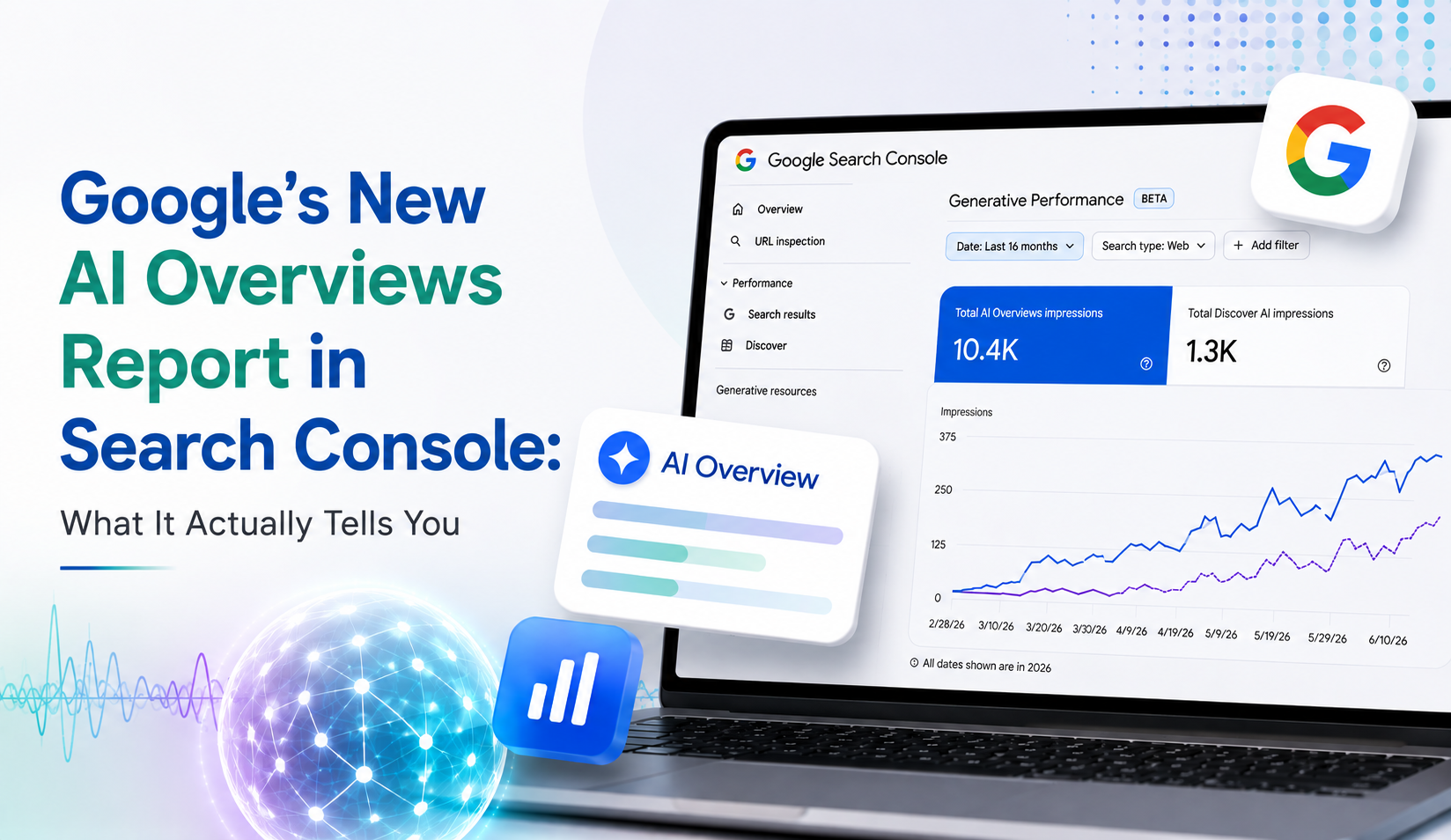
That gap just got a little smaller. In June 2026, Google officially rolled out a dedicated Generative Performance Report inside Search Console, built specifically to show how a site shows up inside AI Overviews and AI Mode. It’s not the full picture yet, not even close, but for once Google handed site owners an actual window into this part of search instead of leaving everyone to guess from traffic graphs and gut feel.
What the New Report Actually Covers
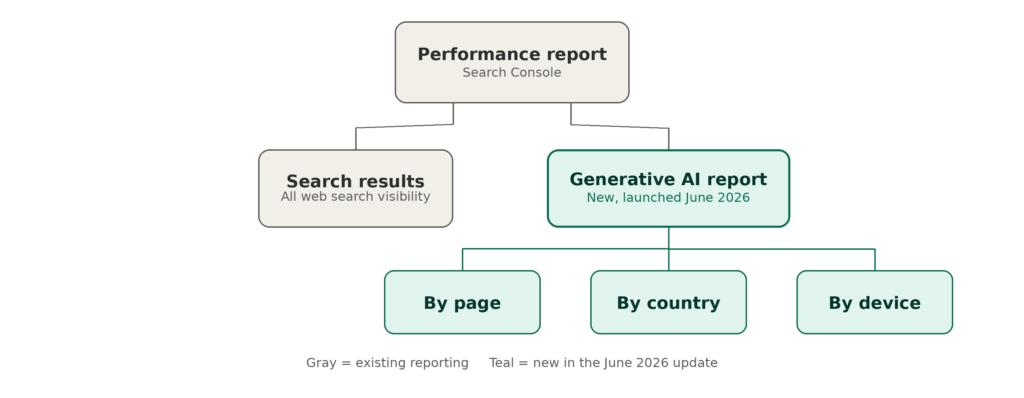
The report sits inside the Performance section of Search Console, right next to the standard Search Results view you already check every week. But instead of lumping every kind of visibility together, it pulls out impressions that came specifically from generative AI features on Search, meaning AI Overviews and AI Mode, and gives a separate view for Discover’s own AI surfaces too.
Once you’re in it, the breakdown feels familiar. Same shape as any other Search Console report:
- By page – which URLs are actually surfacing inside AI-generated answers
- By country – where in the world that visibility is happening
- By device – mobile, desktop, or a mix of both
Simple as that sounds, it’s a genuinely new kind of confirmation. For the first time, a site owner can point at a specific page and say, with data behind it, that page showed up inside an AI Overview, and here’s roughly how much exposure it got. Before this, that was a guess at best.
What's Still Missing From the Data
Worth being upfront about the limits, though, because a half-picture treated as a full one can send you chasing the wrong fix.
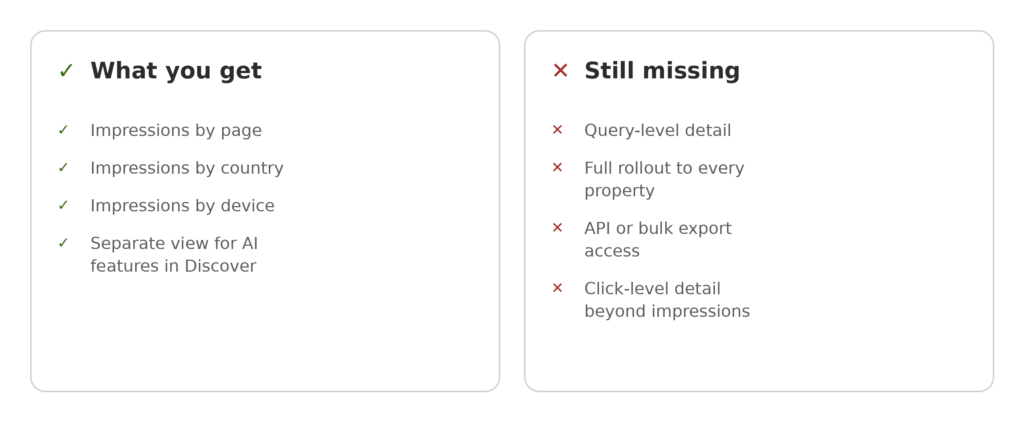
No query-level detail. You get impressions, not the search queries that triggered them. So you’ll know a page got pulled into a generative answer somewhere, but not which question or prompt caused it. That makes it hard to reverse-engineer exactly why a page qualifies.
Rollout is uneven. Google has been rolling this out gradually instead of flipping it on for every property at once, so don’t be surprised if it’s not sitting in your account yet.
It’s a UI-only report, for now. This data isn’t exposed through the Search Analytics API or the bulk BigQuery export, so it can’t be pulled into a custom dashboard or an automated report the way standard performance data can. You have to go look at it manually.
Impressions, not clicks, not yet. The value right now is visibility data. Google has hinted at more metrics coming later, but today the report is good for confirming presence, not for fully quantifying what that presence is actually worth in traffic.
None of that makes the report less useful. It just means it’s one piece of the puzzle, not the whole board.
Why This Report Matters More Than It Looks
On the surface, this might read as a minor dashboard update. In practice, it addresses one of the biggest frustrations in SEO over the last two years: the inability to separate “my rankings dropped” from “my content is still being used, just not clicked the same way.”
Search behavior has genuinely changed. A growing share of queries now get answered directly inside the results page, through an AI-generated summary that cites a handful of sources. Your content can be doing exactly what it’s supposed to do, being accurate, well-structured, and trusted enough to get cited, while your click-through rate quietly declines because the user got their answer without visiting your site.
That’s not a content failure. It’s a visibility shift. And until this report existed, there was no way to prove the difference. Now there is at least a partial trail: if your impressions are climbing in the generative report while clicks stay flat elsewhere, that’s a strong signal your content is being used as a source, not ignored.
This also reinforces something that’s been true for a while: content built around genuine expertise, clear structure, and trustworthy sourcing tends to get pulled into these AI answers more often than thin, keyword-stuffed pages. Search Console is now giving you a way to actually track that connection instead of assuming it.
How to Put This Report to Work
A new report is only worth the time if it actually changes what you do next week. A few practical starting points:
- Check the report against your top-performing pages. If a page ranks well but barely shows up in generative AI visibility, that’s worth a closer look. It could mean the content isn’t structured in a way that’s easy for an AI system to lift and summarize cleanly.
- Cross-reference with your standard Performance report. Look for pages where overall impressions are healthy but clicks haven’t grown at the same pace. That pattern often lines up with AI Overview involvement.
- Audit content structure, not just keywords. Pages that answer a question clearly near the top, use a proper heading hierarchy, and back specific claims with real numbers tend to be easier for generative features to pull from. It’s less about stuffing keywords in and more about making the page genuinely easy to extract an accurate answer out of.
- Don’t panic over flat or falling clicks alone. Look at the full picture first. A dip in clicks alongside a rise in generative impressions is a very different problem than a dip in clicks with nothing to explain it.
- Revisit this regularly, not just once. Google has signaled more metrics are coming. Treat it as a dataset worth checking monthly rather than a one-time audit you tick off and forget. We keep a running log of Search Console changes like this one on our blog, if you’d rather track the pattern over time than start from scratch each time something new rolls out.
Where This Is Headed
This report is unlikely to be the finish line. Google has already hinted at expanding the metrics here over time, and as AI-driven search surfaces keep eating up more real estate on the results page, the pressure will only keep building for more granular data, ideally right down to the query level.
For now, take it for what it is: an early but genuinely useful signal. It won’t replace the judgment that comes from watching your own traffic patterns closely, but it does swap out guesswork for something closer to evidence. That’s a meaningful shift for anyone trying to plan content strategy around how search is actually changing, rather than how it used to work a couple of years back.
Frequently Asked Questions
Q: Do I need to do anything to enable this report? No manual setup is required. If your property has access, the report appears automatically inside the Performance section of Search Console. Availability is still rolling out gradually across sites.
Q: Does this report show which queries triggered AI Overview appearances? Not currently. It shows impression data by page, country, and device, but not the specific search queries behind those impressions.
Q: Can I pull this data into an API or automated dashboard? Not yet. As of now, this data is only available inside the Search Console interface and isn’t included in the Search Analytics API or bulk data export.
Q: Should I change my content strategy because of this report? Use it as one input, not the whole strategy. It’s most useful for confirming whether well-performing pages are also showing up in generative AI features, and for spotting patterns worth investigating further.
Reviewed and written by our SEO team, who track Search Console updates and generative search changes as part of ongoing client reporting. If you want a closer look at how your own site is showing up in AI Overviews and AI Mode, Techbound can walk through your Search Console data and flag where your content stands.