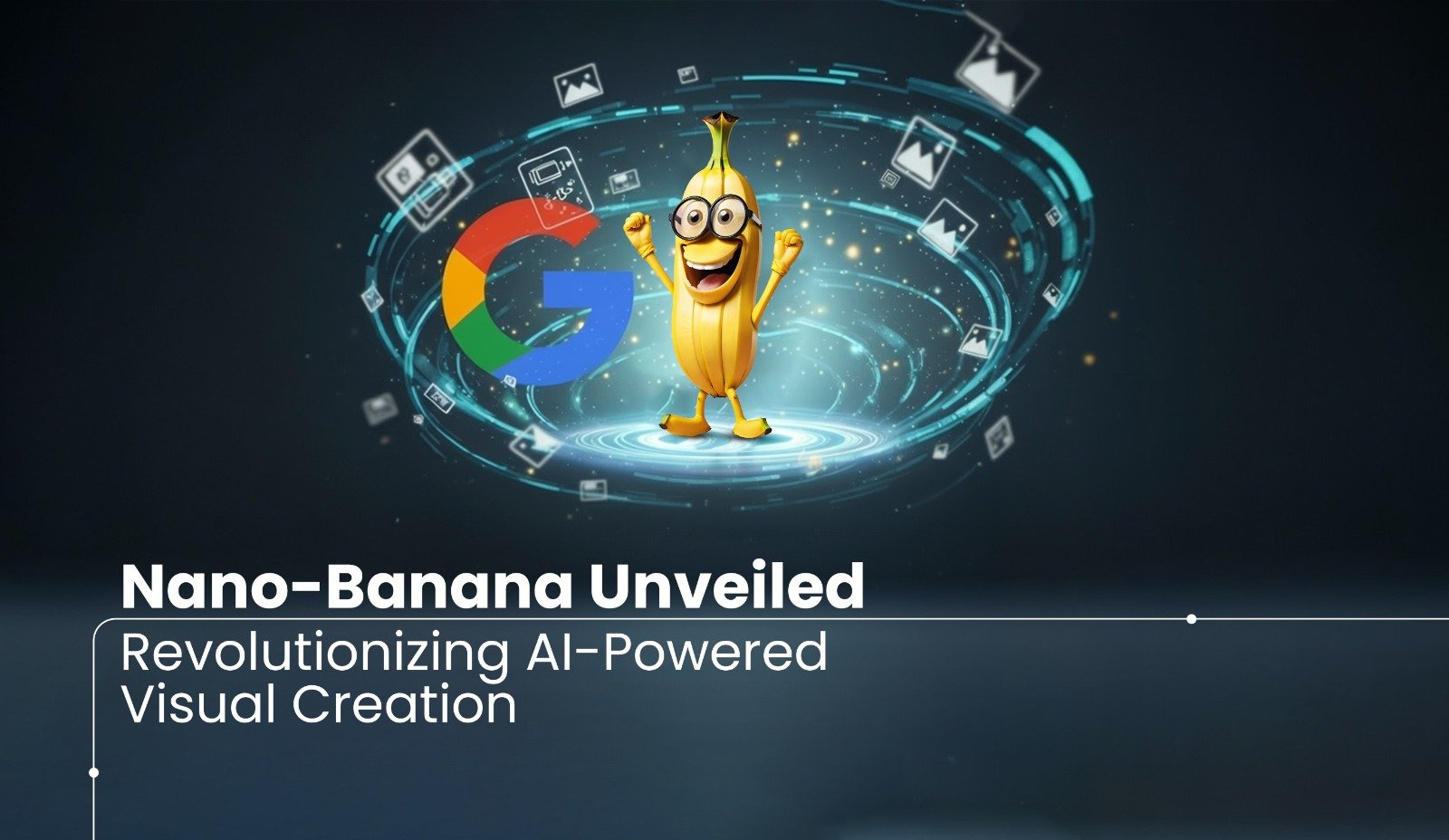
AI platforms are advancing rapidly, and with each new update, they actively chase and amplify online trends. Most recently, Google has launched its groundbreaking Gemini 2.5 Flash Image,playfully nicknamed “Nano Banana”, on August 26, 2025, and the internet has responded with explosive enthusiasm. Not only does this cutting-edge AI tool revolutionize image editing and generation, but it also empowers developers by granting them unprecedented creative control and delivering lightning-fast processing speeds.
Moreover, Nano Banana has gone viral, not merely because of its technical brilliance, but because it uniquely transforms ordinary photos into hyper-realistic 3D digital figurines. As a result, artists, creators, and casual users alike are flooding social media with imaginative content, sparking a global wave of digital creativity. Consequently, Nano Banana is no longer just another AI update; it has evolved into a full-blown cultural and technological phenomenon, actively reshaping how we create, share, and interact with visual content across the digital landscape.
Where to use it
You can use nano banana on several platforms, like
Google AI Studio: The main web interface for the Gemini 2.5 Flash Image model.
Gemini App: The updated image editing features are integrated directly into the Gemini app.
Third-party platforms: It has been integrated into other applications like Imogen and Leonardo.AI
Key Capabilities of Gemini 2.5
Image editing and generation:
This versatile tool empowers users to edit images seamlessly using natural language prompts, offering a range of creative possibilities. You can effortlessly change outfits and backgrounds, blend multiple images into a single, cohesive scene, and maintain character consistency across different images, making it ideal for crafting consistent characters for stories or campaigns. Additionally, it supports targeted transformations, allowing you to remove objects or alter a subject's pose with precision.
3D Figurine Creation:
This is the most popular use case. Nano Banana can take a photo (or a text prompt) and turn it into a realistic-looking miniature figurine, complete with detailed textures, clothing, and expressions. The resulting images often look like professional, commercial-grade collectibles.
Accessibility:
A major reason for its viral success is its ease of use. It is free and available through Google AI Studio and the Gemini app, making advanced image editing accessible to anyone, not just professionals with specialized software like Photoshop or ZBrush.
Step1
Visit the site:-
- Google AI Studio: This is the primary web interface for the model. Go to the Google AI Studio website and log in with your Google account. Look for the “Gemini 2.5 Flash Image” option, sometimes playfully labeled “Try Nano Banana.”
- Gemini App: The updated image generation features are integrated directly into the Gemini app.
Step 2
Prepare image
The quality of your output highly depends on your input. For the best result, use a photo that.
- High-resolution:- AI needs clear details to work with to avoid blurry, pixelated, or low-resolution images.
- Lighting:- It helps AI understand the contour and texture of your subject’s face and clothing.
- Background:- A plain background helps the AI focus on the subject.
Step 3
Upload your photo or enter a prompt.
- Click the + button to upload your image, and you can enter the prompt to design your image.
- You can provide a custom text prompt to design the figure without an image.
How I experienced Nano Banana
Of course, nano is the online trend, so I want to know how it works. So I log in to the Google AI Studio with my Google account.
Actually, I worked with Nano on my image. The result almost satisfied me, but because of the quality of the image I used. It didn’t see the clear face, so it affected the output image too, so I can’t show you guys here.
But no worries.
I tried again with another image, so I will show you how it works for me.
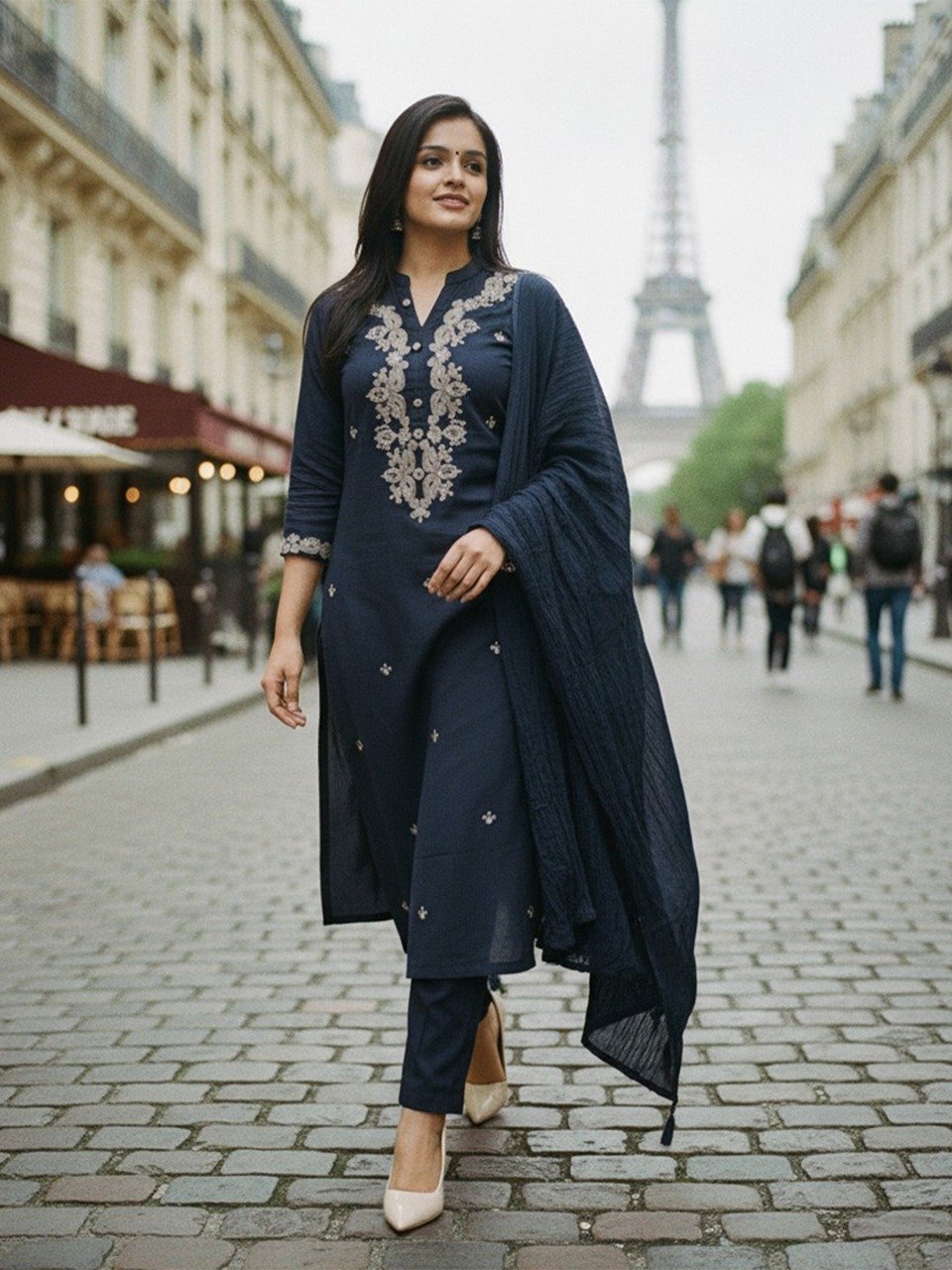
1 Prompt:
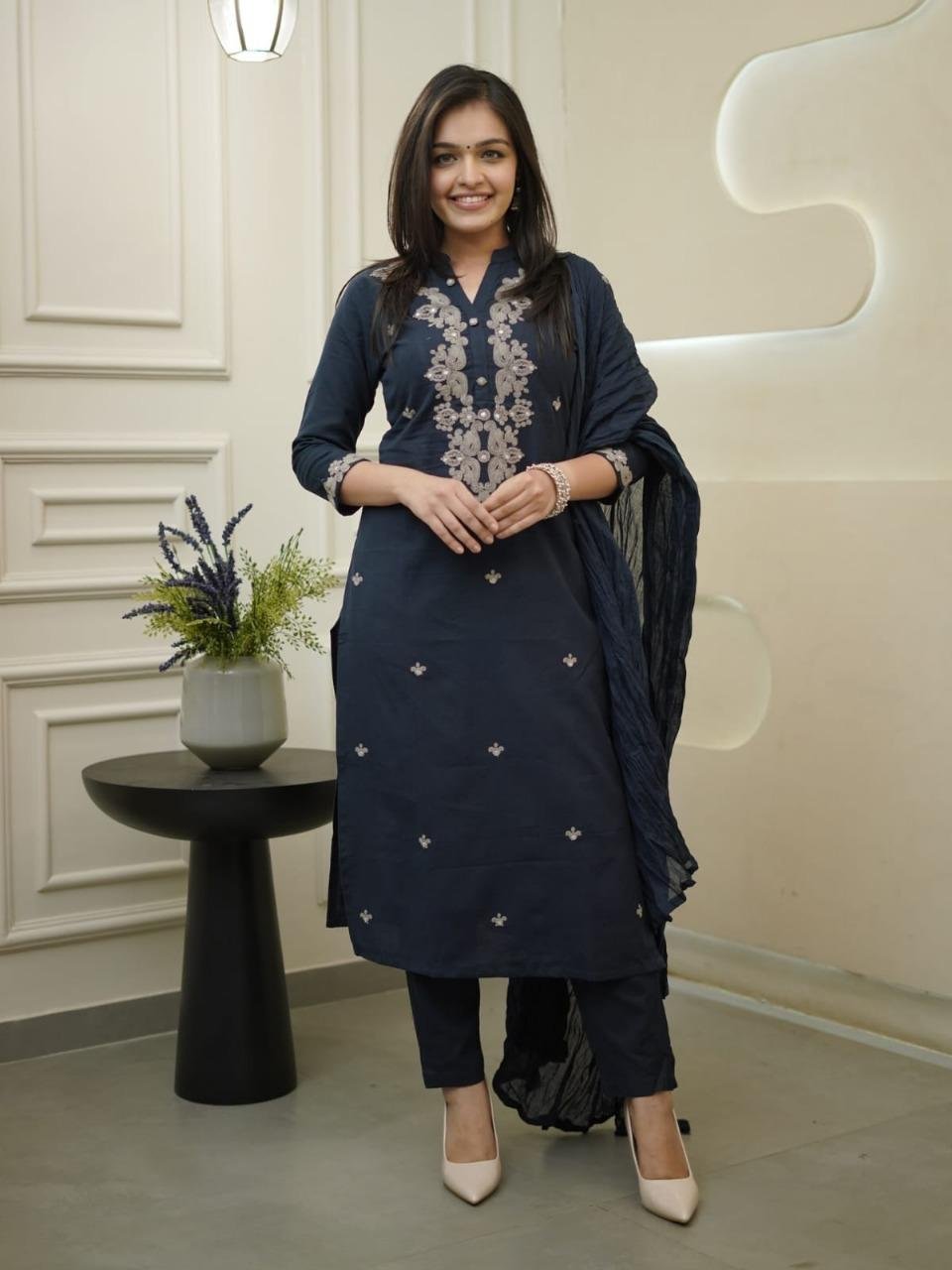
The image should be like the lady is wearing the same dress and walking on the streets of Paris. make it more natural and realistic.
2 Prompt:
Please replace the kurti with a classic, elegant black saree and a V-neck, sleeveless black blouse in the image.The final image should be like the lady is wearing the saree and walking on the streets of Paris. make it more natural and realistic.
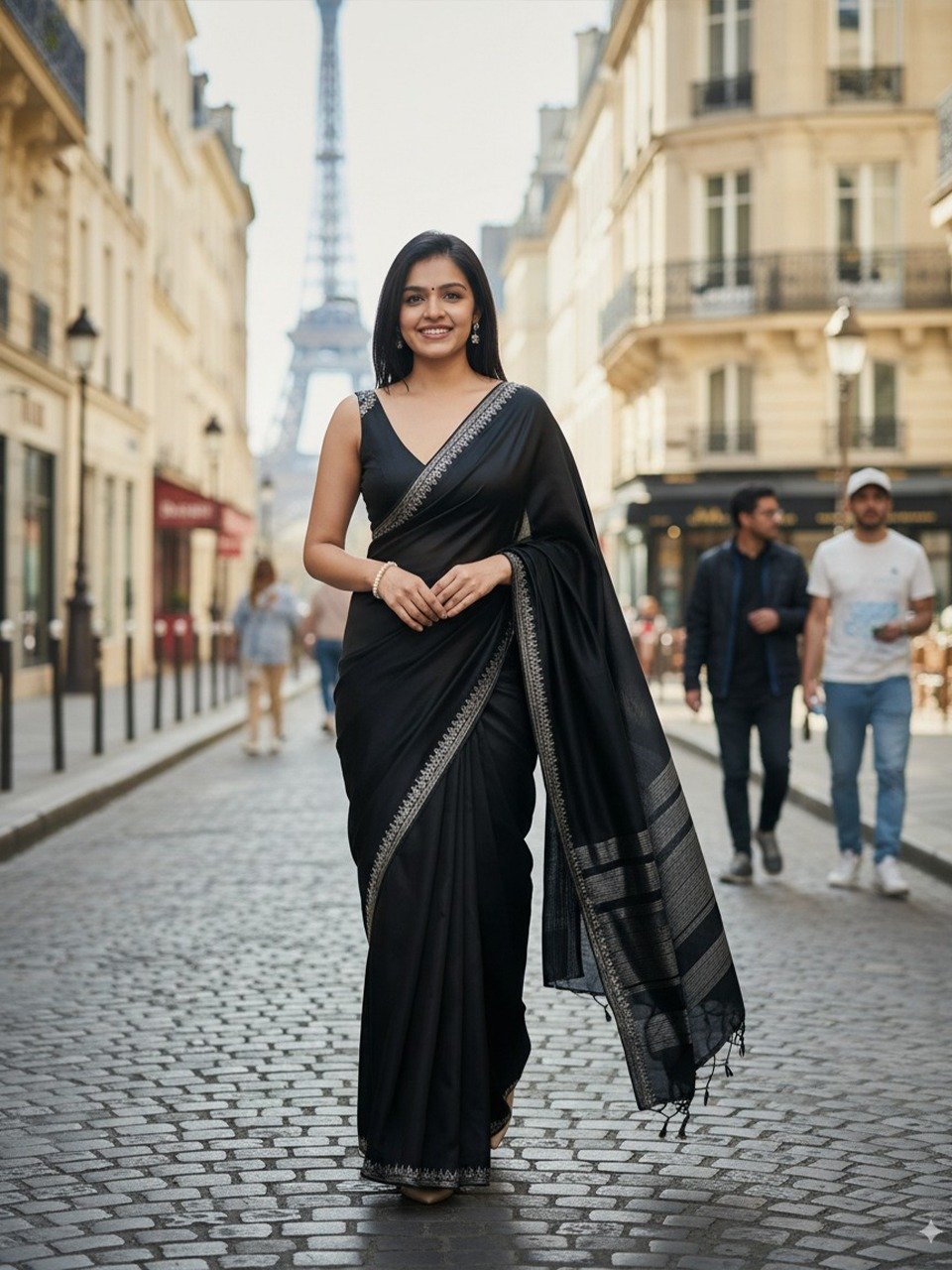
So this is the image I customised to design through the AI Studio. And guys, I’m so satisfied with this output and also i tried nano to generate the image just with only by prompt too.
Prompt:
I need an image of a cat sitting on a table wearing christmas also christmas gift on the table. The background should be a window, christmas tree, and snow.
The cat must be a ginger cat with a smiling face and cute

I need a image of cats and puppies sitting on a table, wearing christmas also christmas gift on the table. The background should be a window, christmas tree, and snow.
The cat must be a cute little ginger cat, and the puppy is are golden retriever.

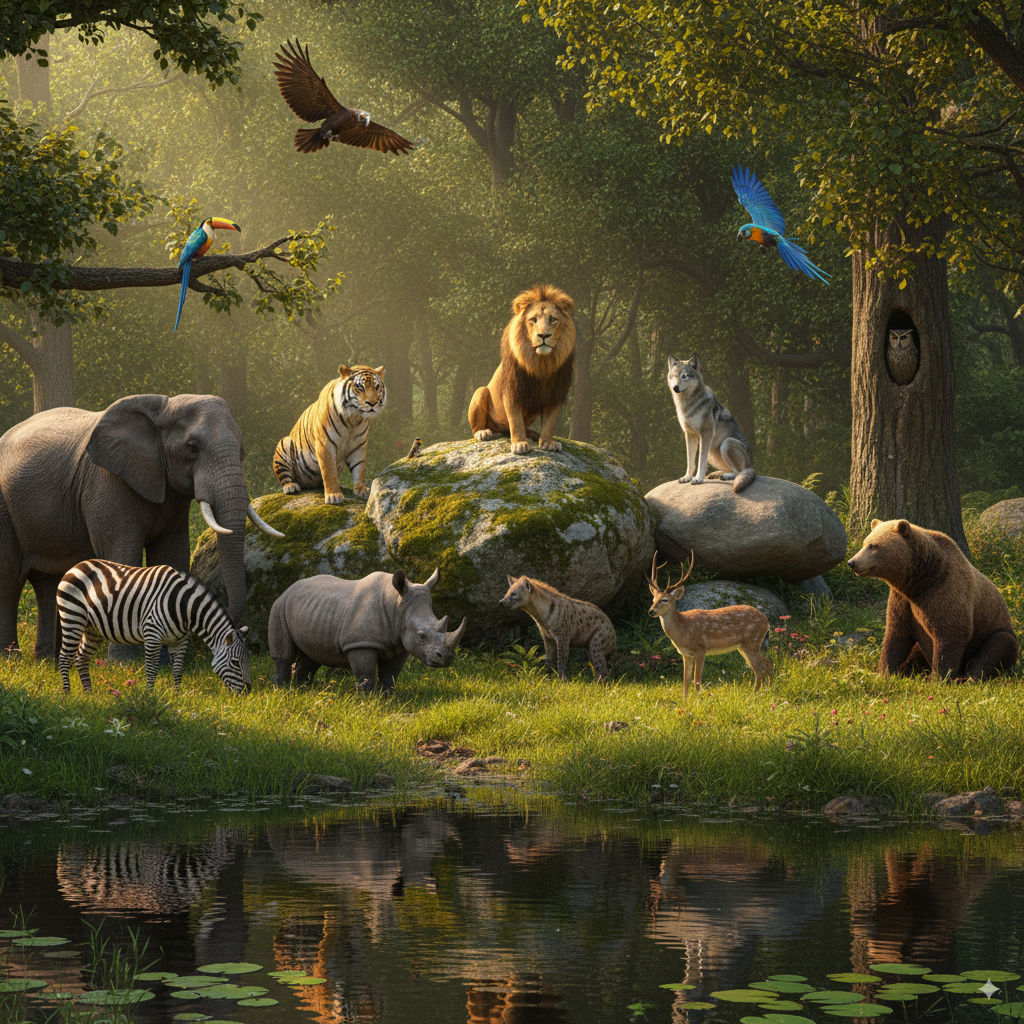
Prompt:
I need an image of jungle animals sitting for the meeting in the forest.
The image should have 1 big rock, 1 small rock, and one pond in Medowa.
A lion is sitting on the rock.
The wolf is sitting on the small rock.
The animals I need in the image are
Lion, Wolf, Elephant, Tiger, Zebra, Hyena, Giraffe, Rhino, Deer, bear, etc.
Add 4 or 5 different birds, too.
let me show how it works on Gemini
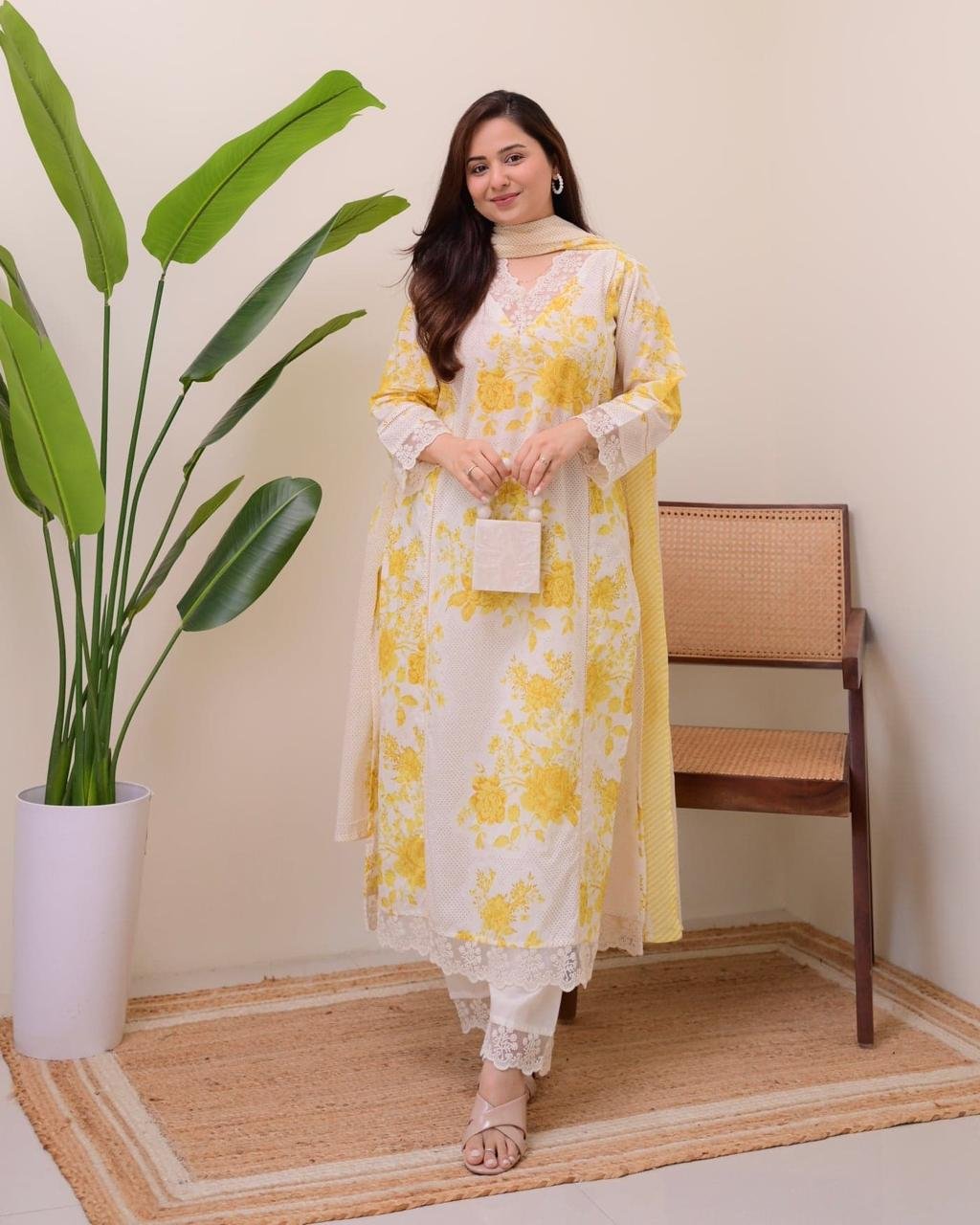
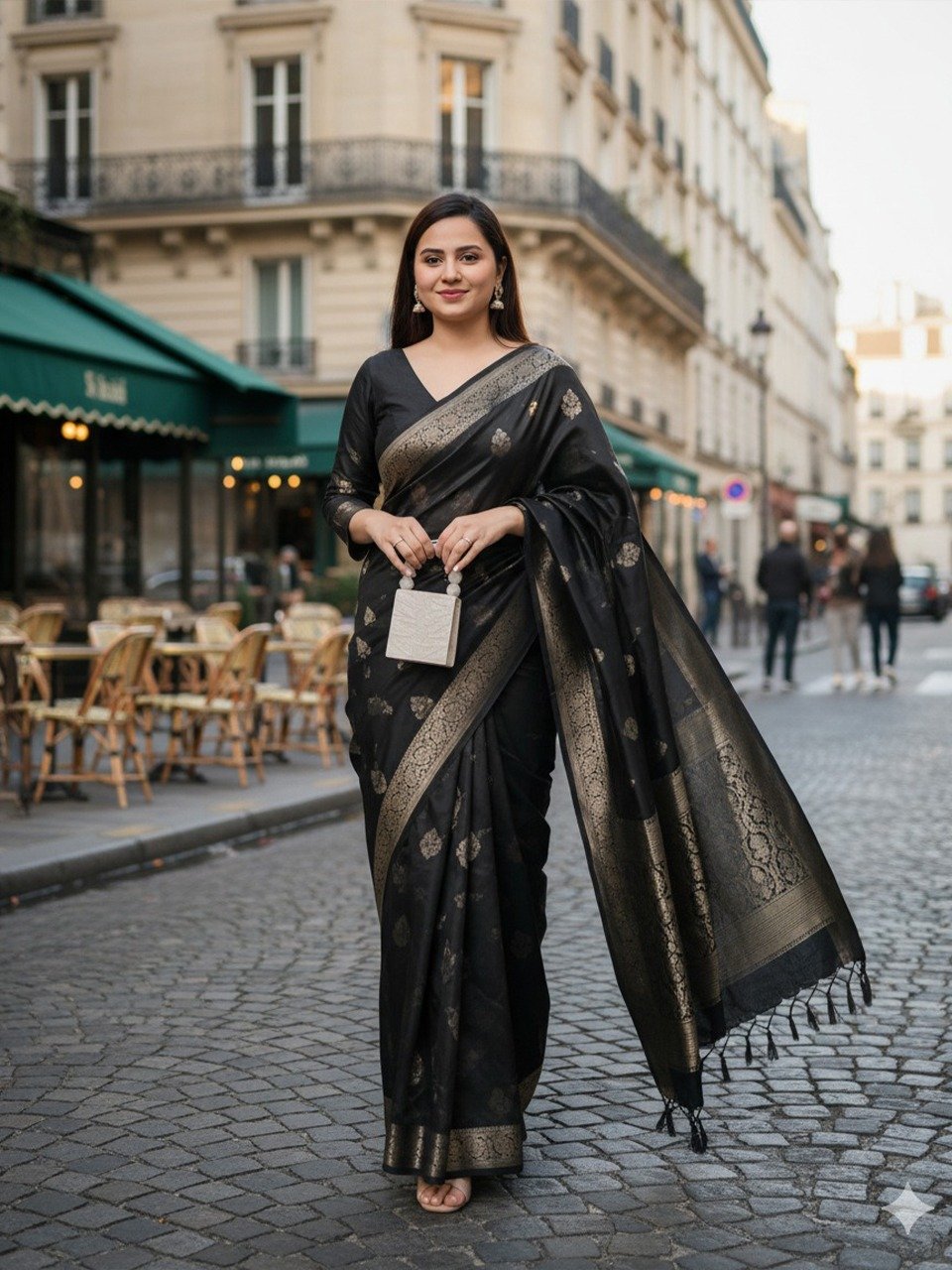
1 prompt:
Please replace the kurti with an elegant black saree and a V-neck black blouse in the image. The final image should be like the lady is wearing the same dress and walking on the streets of Paris, make it more natural and realistic.
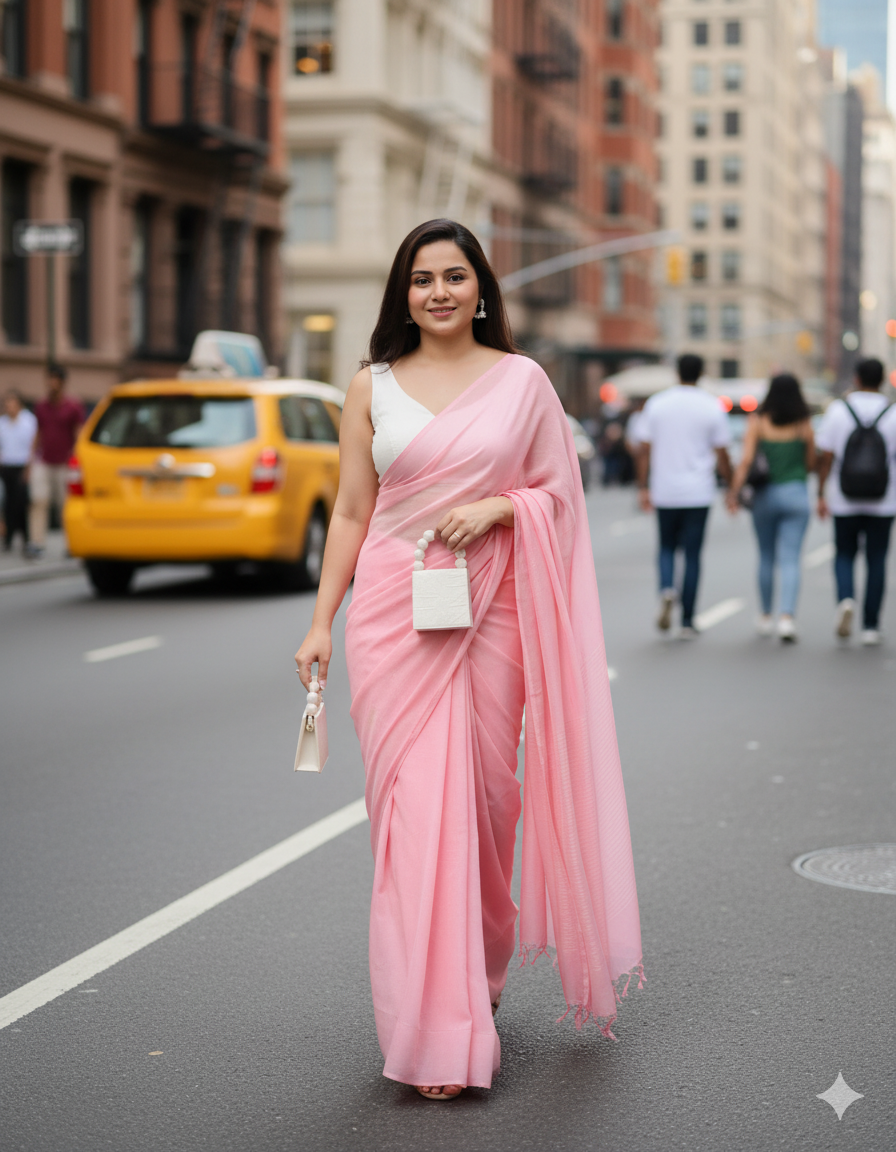
2 Prompt:
Please replace the kurti with an elegant baby pink saree and a white V-neck sleeveless blouse in the image.
The final image should be like the lady is wearing the same dress and walking on the street of newyork. Make it more natural and realistic.
At first glance, the first image generated by Gemini clearly reveals its AI origins. Whether it’s due to the input image, the color of the saree, or subtle inconsistencies in lighting and texture, something about the output feels unmistakably synthetic, and most viewers would pick up on that immediately.
Now, here’s where it gets interesting: the second image uses the same input. Yet, as you’ve pointed out, the AI has generated the woman holding two purses, an illogical, physically impossible detail that screams “AI hallucination.” While the overall image may appear more polished or realistic at a glance, this glaring anomaly instantly betrays its artificial source.
I am so satisfied with the result of Google AI Studio image generated with the prompt and the uploaded image with a customized prompt.
But I tried nano in different ways to know the limitations. Then I notice that the image generated by nano gives high quality as the input, but the AI-generated image we reuse for another regenerated image will affect the quality of the image. So please notice that when you use the nano banana for image generation. Otherwise Gemini 2.5 flash image is too good, not only for random image generation, but we can also use it for website images, business, and make posters too.
Limitations of Nano
Yeah, every AI app and updates have their own limits, and the Gemini 2.5 flash is so good for us, so it definitely has its limitations, so let’s check on it.
Yes, the use of “Nano Banana (Gemini’s image generation and editing capabilities) within the Gemini app and Google AI Studio has specific limits. These limits are a key part of Google’s tiered service model, which differentiates between free and paid access.
Free Tier:
Users who access Gemini without a paid subscription are limited to generating or editing up to 100 images per day. This limit is in place to ensure fair usage and manage server capacity.
Google AI Pro:
Subscribers to the Google AI Pro plan have a much higher daily limit. Allowing for the generation of up to 1,000 images per day.
Google AI Ultra:
Users with the top-tier Google AI Ultra subscription also have a daily limit of up to 1,000 images per day. Though this plan offers higher limits on other features like prompts and video generation.
Google has become more transparent about these limits, so it provides clear numbers to users. When you approach your daily limit, Gemini is designed to notify you so you can manage your usage. The limits are reset daily, allowing you to resume generation the next day.
For normal AI-using people, this limitation is not a problem at all.
Conclusion
Nano Banana, Google’s Gemini 2.5 Flash Image, actively reshapes visual content creation by empowering users to produce hyper-realistic 3D digital figurines, stunning website images, and professional business assets. Furthermore, its transparent daily usage limits and tiered service model make it accessible to both casual creators and seasoned professionals. However, users should proactively address its limitations, such as potential quality degradation when reusing AI-generated images. Meanwhile, as AI rapidly advances across Google’s ecosystem, including AI ads, AI search, and AI shopping, businesses aiming to enhance their online presence and rank higher in AI-driven search must partner with expert digital marketing agencies like Techbound, Kerala’s leading innovator in digital solutions. By leveraging such expertise, businesses can confidently navigate this dynamic technological landscape and elevate their creative and commercial success.