

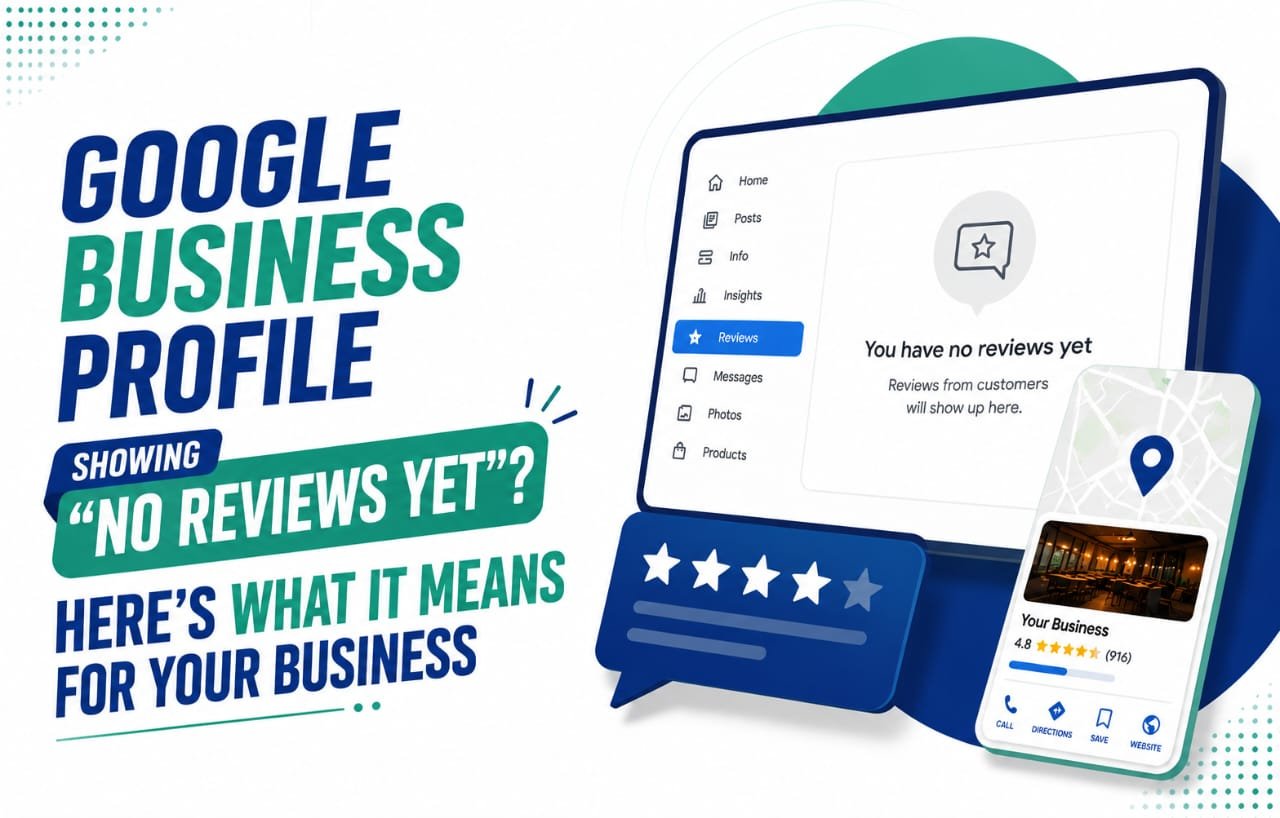
Logged into your Google Business Profile dashboard recently and got hit with “You have no reviews yet,” even though your listing has hundreds sitting on it? You’re not losing your mind, and you’re definitely not the only one. Since July 9, 2026, business owners everywhere have been reporting this exact glitch, and it’s turned into one of the more talked-about local SEO scares of the month.
Here’s what’s actually going on, why it’s less scary than it looks, and what to do if it’s happening to you right now.
What the Bug Actually Looks Like
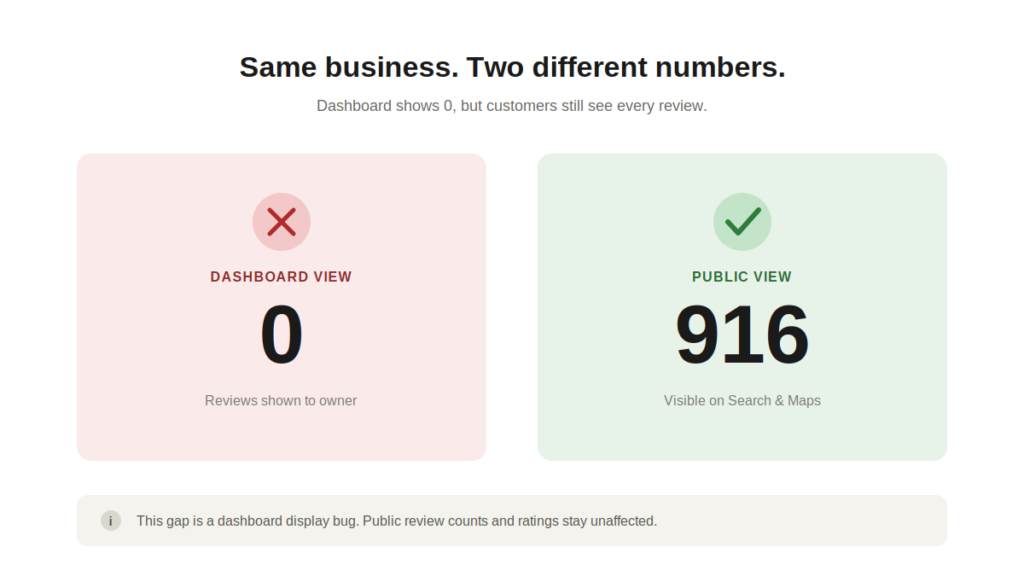
The problem lives inside the Google Business Profile management dashboard, not out in the real world. Click “Read reviews” or open the reply screen, and the panel shows nothing. Zero reviews. Meanwhile, the public listing that customers actually search for on Google and Maps keeps showing the correct count, star rating, and everything else intact. One case making the rounds involved a business with 916 live reviews on its public listing, while the owner’s own dashboard insisted there were none at all.
That mismatch between what the dashboard claims and what shows up on Search or Maps is really the whole story here. Nothing has vanished from the internet. The management tool is just misreading its own data for the moment.
Why This Isn't the Same as Last Week's Review Removal Issue
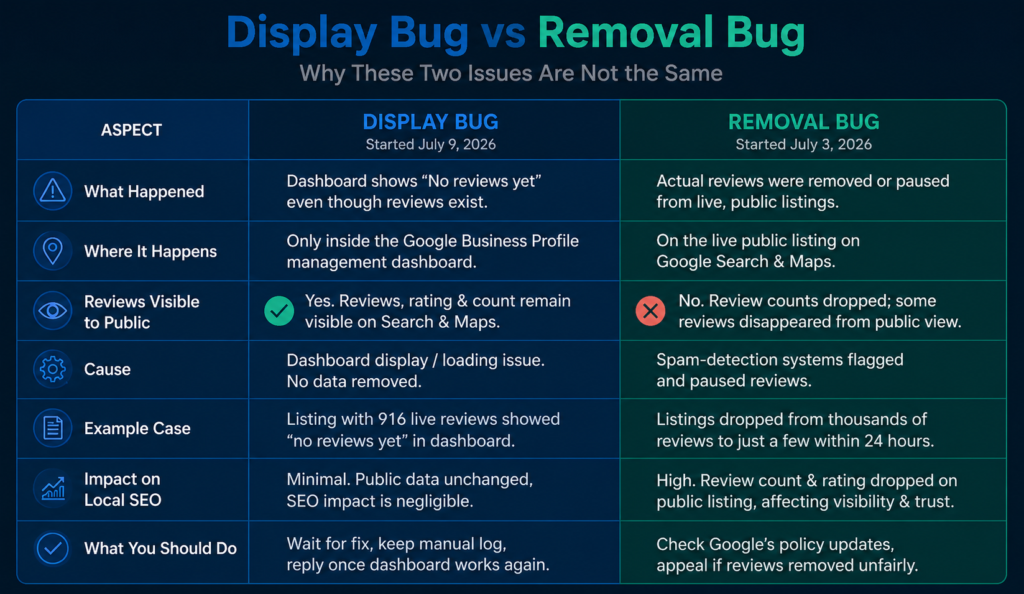
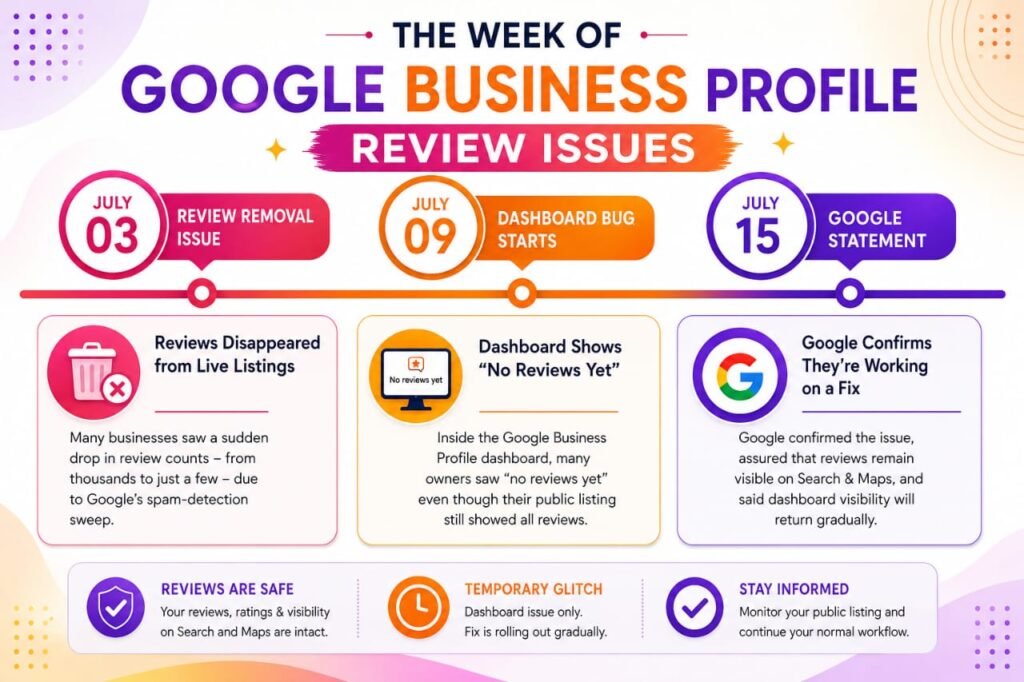
This one landed less than a week after a separate, genuinely bigger problem. Around July 3, 2026, plenty of business owners watched their review counts drop for real on their live, public-facing listings, sometimes falling from thousands down to a handful within a single day. Google later confirmed its spam-detection systems had flagged and paused reviews on certain profiles as part of a broader anti-abuse sweep.
The July 9 bug is a different animal entirely. It’s a display glitch, not a takedown. Nothing gets removed from your public listing; the dashboard simply fails to pull the review data correctly for some accounts. Because both stories broke in the same week and both use the word “reviews,” it’s tempting to lump them together. Don’t. They call for different responses, and mixing them up can lead to the wrong reaction.
What Google Has Said
Google confirmed the dashboard issue directly. In a statement shared on July 15, 2026, a company spokesperson said the team is actively fixing it, that affected reviews remain published and visible to anyone using Search and Maps, and that dashboard visibility would return gradually over the following days.
That statement matters for two reasons. It rules out a silent policy change or a mass purge of reviews, and it gives business owners a realistic sense of timing: this is a rolling fix, not an overnight patch, so a few more days of the glitch is still within normal range.
What This Means for Your Local SEO and Online Reputation
For most businesses, the actual impact on local search rankings and online reputation is minimal, because what customers see when they search for you hasn’t moved. Your star rating, review count, and individual customer feedback on Search and Maps stay exactly as they were through this whole episode.
Where it does bite is on the operational side. If replying to customer reviews is part of your regular review management routine, that habit gets interrupted the moment the dashboard shows nothing to respond to. A few days of delayed replies won’t tank your local search rankings, but it’s worth keeping a note of which reviews came in during the outage so you can catch up once the panel starts working again.
What Business Owners Should Do Right Now
A few practical steps if your GBP dashboard is caught in this:
Check your public listing first. Search your business name on Google, or open the Maps listing directly. If the review count and star rating look normal there, your data is fine and this is purely a display issue.
Don’t ask customers to leave reviews again. Nothing has actually been removed, so encouraging a repeat review can look like an attempt to inflate review counts artificially, which is exactly the kind of pattern Google’s spam detection is built to catch.
Keep a manual log. Jot down any reviews you know came in during the affected window so you can circle back and reply once the dashboard is behaving normally.
Give it a few days before you escalate. Based on Google’s own timeline, dashboard visibility should return in stages. If yours is still blank well past that window, reporting it through the official Google Business Profile Help Community is the right next move.
Bugs like this are a decent reminder that review monitoring shouldn’t lean on the dashboard alone. Checking your live listing every so often, independent of whatever the management panel is showing, gives you the real picture no matter what’s happening on the backend.
In our own work managing Google Business Profiles for clients across Kerala, we’ve seen dashboard glitches like this come and go before, and the pattern holds every time: public visibility and customer trust stay intact even when the backend tools misbehave.
Frequently Asked Questions
Is this the same issue as the missing reviews problem from July 3, 2026? No, and it’s worth keeping the two apart. July 3 involved reviews being genuinely removed or paused from live listings because of spam-detection sweeps. This one only affects the dashboard display, and the reviews stay visible to the public on Search and Maps the entire time.
Will I lose my reviews permanently because of this bug? No. Google has confirmed the affected reviews remain published and visible to customers throughout. What you’re seeing is a display problem, not data loss.
Should I ask customers to leave reviews again since my dashboard shows zero? Don’t. It’s unnecessary since nothing has been removed, and it risks getting flagged as suspicious review activity by Google’s own spam systems.
How long before my dashboard shows reviews again? Google says the fix is rolling out gradually, so expect visibility to return over the following days rather than all at once.
How do I know if my business is actually affected? Compare your dashboard with your public listing on Search or Maps. If the public side still shows your usual review count and star rating, your reviews are safe, and only the dashboard view is off.
Final Thoughts
Dashboard bugs like this are becoming a fairly regular part of running a Google Business Profile, and they’re only going to keep showing up as Google leans harder on automated systems to manage reviews and fight spam. The habit worth building is simple: treat the dashboard and the public listing as two separate sources of truth, and check the public one whenever something looks off before assuming the worst. This particular glitch is temporary and cosmetic. Your reviews, your rating, and your reputation with customers were never actually at risk.
In our own work managing Google Business Profiles for clients across Kerala, we’ve watched glitches like this come and go, and the pattern always holds: public visibility and customer trust stay intact even when the backend tools misbehave. It’s this kind of platform noise that Techbound helps local businesses stay ahead of, so their reputation and search visibility stay steady no matter what Google’s own tools are doing behind the scenes.